Rice cookers are essential appliances in many kitchens today. They simplify meal preparation and save time. However, encountering error codes can be frustrating.
Understanding these error codes is vital for effective use. Many users face issues, making troubleshooting a necessary skill.
In this post, you'll learn how to troubleshoot common rice cooker error codes. We'll provide step-by-step guidance to help you resolve these issues efficiently.
Rice cooker error codes serve as vital indicators of potential issues. These codes help users quickly identify problems, ensuring efficient cooking. When a rice cooker displays an error code, it signals that something isn't functioning correctly. Understanding these codes can save time and prevent further damage.
The E1 error code indicates a malfunction in the temperature sensor. This sensor is crucial for maintaining precise cooking temperatures, especially for different rice types. In Windspro rice cookers, the temperature sensor ensures that your rice is cooked perfectly, whether it's white, brown, or quinoa. If this sensor is loose or dirty, it can lead to inaccurate readings and cooking failures.
Common causes of E1 include:
● A loose or disconnected sensor.
● Dirt or debris obstructing the sensor.
● Faulty connections to the main control board.
The E2 error code signals that the inner pot isn’t correctly placed on the heating plate. This can happen if the pot is misaligned or if there’s debris on the heating surface. Proper positioning is essential for optimal heat distribution, which is particularly important in models like the Windspro Mini Smart Rice Cooker.
Troubleshooting Steps for E2:
1. Unplug the cooker and remove the inner pot.
2. Clean the heating plate to remove any debris.
3. Reinsert the pot, ensuring it sits flat and centered.
When the E3 error appears, it often indicates a power supply problem. This can be due to a loose connection or a faulty outlet. The detachable power cord feature in Windspro rice cookers helps users easily check connections. Ensure the power cord is firmly connected to both the cooker and the outlet.
Common causes of E3 include:
● Loose power cord connection.
● Faulty wall outlet.
● Using an extension cord that isn’t rated for the cooker.
The E4 error code signifies that the cooker has overheated. This can occur if the vents are blocked or if the cooker is used for extended cooking cycles without breaks. Windspro rice cookers are designed with features that help prevent overheating, such as efficient venting systems.
Signs of Overheating:
● The cooker shuts off unexpectedly.
● The exterior feels excessively hot.
How to Address Overheating:
● Unplug the cooker and allow it to cool for at least 20 minutes.
● Clean any blockages from the steam vents.
● Avoid consecutive long cooking sessions without breaks.
Error Code | Description | Common Causes |
E1 | Temperature Sensor Malfunction | Loose sensor, dirt, faulty connections |
E2 | Inner Pot Not Positioned | Misalignment, debris on heating plate |
E3 | Power Supply Issue | Loose connections, faulty outlet, extension cords |
E4 | Overheating Protection | Blocked vents, prolonged use without breaks |
By understanding these error codes and their meanings, you can troubleshoot effectively and keep your rice cooker running smoothly. This knowledge empowers users, making meal preparation easier and more reliable.
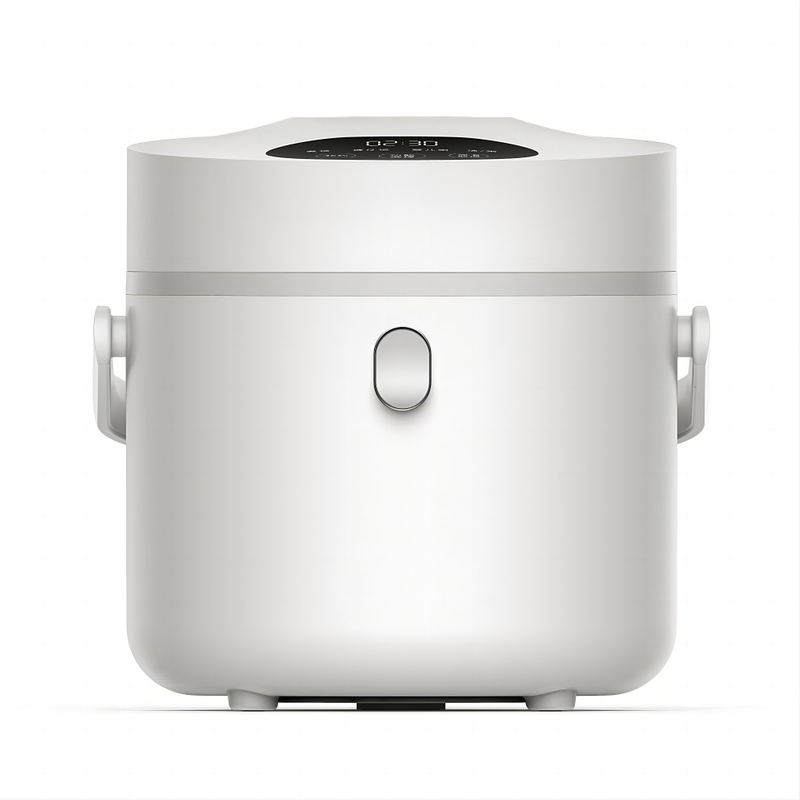
When dealing with a rice cooker, safety should always come first. Before you start troubleshooting, unplug the cooker to avoid any electrical hazards. This simple step can prevent accidents and ensure a safe working environment.
Next, perform some basic checks. Look for visible signs of damage, such as frayed wires or cracks in the casing. Ensure the inner pot is clean and free of debris. These preliminary steps can often reveal issues before diving into specific error codes.
The E1 error code indicates a temperature sensor malfunction. To resolve this, start by checking the sensor's condition. First, unplug the cooker. Then, locate the temperature sensor, usually near the base of the inner pot. Gently clean it with a soft cloth to remove any rice grains or dust that may affect its functionality.
If the issue persists after cleaning, it may be time to contact customer service for Windspro products. They can provide specific guidance or arrange for repairs if necessary.
If you encounter the E2 error code, it means the inner pot is not positioned correctly. Begin by unplugging the cooker. Remove the inner pot and inspect the heating plate for dirt or debris. Clean the surface thoroughly to ensure proper contact.
Reinsert the inner pot, making sure it sits flat and centered. A tight fit is crucial for optimal heat distribution, especially in models like the Windspro Mini Smart Rice Cooker. If the error continues, double-check for any warping or damage to the pot itself.
The E3 error code suggests a power supply issue. Start by checking the power connections. Ensure the detachable power cord is securely plugged into both the cooker and the wall outlet. If you're using an extension cord, make sure it’s rated for the cooker’s power requirements to avoid complications.
Next, test the wall outlet by plugging in another appliance. If the outlet is faulty, try a different one. This step is vital to ensure your rice cooker receives the proper power supply for effective operation.
When the E4 error code appears, it indicates overheating. To fix this, first unplug the cooker and allow it to cool down for at least 20 minutes. Check the steam vents and clean any blockages using a small brush or cloth. Proper airflow is essential for preventing overheating.
To avoid this issue in the future, allow your rice cooker to rest between long cooking cycles. Continuous use without breaks can trigger the overheating protection feature. Following these tips can help maintain your rice cooker’s performance.
Error Code | Troubleshooting Steps | Key Considerations |
E1 | Check and clean the temperature sensor | Contact Windspro customer service if unresolved |
E2 | Ensure inner pot is positioned correctly; clean plate | Check for pot damage if error persists |
E3 | Check power connections; test wall outlet | Avoid using incompatible extension cords |
E4 | Clean vents; allow cooling time | Rest cooker between long cooking sessions |
By following these troubleshooting steps, you can effectively address common rice cooker error codes. This approach not only saves time but also enhances your cooking experience.
Keeping your rice cooker in top shape requires regular maintenance. Start by cleaning it after each use. This includes washing the inner pot, steam vent, and lid with warm, soapy water. Avoid using abrasive cleaners that can scratch surfaces. Regular cleaning prevents buildup that could lead to error codes.
It’s also crucial to follow manufacturer guidelines, especially for Windspro rice cookers. Each model may have specific maintenance requirements. For example, the user manual often provides detailed instructions on how to care for the heating element and other components. Adhering to these guidelines can extend the lifespan of your rice cooker and ensure optimal performance.
Key Maintenance Steps:
● Clean the inner pot after every use.
● Inspect the steam vent for blockages.
● Refer to the manufacturer’s manual for specific care tips.
Using your rice cooker correctly can significantly reduce the chances of encountering error codes. Start by selecting the right cooking mode for the type of rice or grain you’re preparing. Windspro rice cookers offer specialized functions, such as quinoa cooking and slow cooking, which optimize results for different ingredients.
Always measure the rice and water accurately. Too much rice or water can lead to overflow or improper cooking, triggering error codes. Additionally, avoid overloading the cooker beyond its capacity. Each model has a maximum fill line, and exceeding this can cause issues.
Usage Tips:
● Choose the appropriate cooking mode for each dish.
● Measure rice and water carefully to avoid overflow.
● Do not exceed the maximum fill line indicated in the manual.
Maintenance Task | Frequency | Importance |
Clean the inner pot | After each use | Prevents buildup and ensures even cooking |
Inspect steam vent | Weekly | Avoids blockages that can trigger overheating |
Follow manufacturer guidelines | As needed | Ensures optimal performance and longevity |
By incorporating these preventative measures into your routine, you can minimize the occurrence of error codes and enhance your cooking experience. Proper maintenance and usage techniques are key to enjoying your rice cooker for years to come.
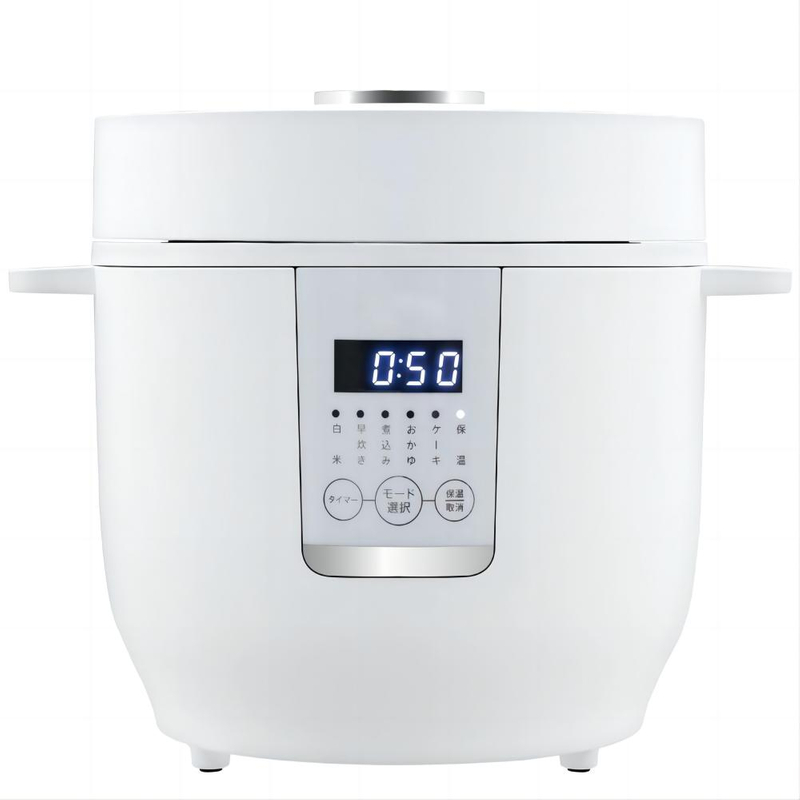
It's important to recognize when your rice cooker needs professional repair. Certain signs can indicate hardware failure. If your cooker frequently displays error codes despite troubleshooting, it might be time to seek help. Additionally, if you notice unusual sounds, such as popping or grinding, these could signal internal issues.
Another indicator is if the cooker fails to heat properly or takes significantly longer to cook rice than usual. If the exterior of the cooker becomes excessively hot, this could also point to a malfunction. Always check the warranty status, especially for new Windspro models. If your cooker is still under warranty, contacting customer support can save you repair costs.
Common Signs of Hardware Failure:
● Persistent error codes after troubleshooting.
● Unusual sounds during operation.
● Inconsistent heating or cooking times.
● Excessive heat on the exterior of the cooker.
When it’s time to get your rice cooker repaired, finding a reliable service center is crucial. Start by checking the manufacturer’s website for a list of authorized service centers. This ensures that you receive quality repairs, as authorized technicians are trained specifically for your brand, such as Windspro.
You can also read customer reviews to gauge the reliability of local repair shops. Look for service centers that offer warranties on their repairs, which can provide additional peace of mind. Avoid unlicensed repair services, as they may not use genuine parts, leading to further complications down the line.
Tips for Finding Authorized Service Centers:
1. Visit the manufacturer’s website for a service center locator.
2. Check online reviews and ratings for local repair shops.
3. Ask about warranties on repairs to ensure quality service.
Sign of Failure | Recommended Action |
Frequent error codes | Contact professional repair service |
Unusual sounds | Inspect for hardware issues |
Inconsistent cooking performance | Seek authorized service |
Excessive exterior heat | Stop use and consult a technician |
By paying attention to these signs and knowing where to seek help, you can ensure your rice cooker remains in good working condition. Taking prompt action can prevent minor issues from escalating into major repairs.
Troubleshooting rice cooker error codes is essential for efficient cooking. Understanding these codes helps prevent frustration and ensures proper functioning. Regular maintenance is crucial for longevity and optimal performance of your rice cooker.
We encourage you to share your experiences or questions in the comments below. Your insights can help others in the community!


